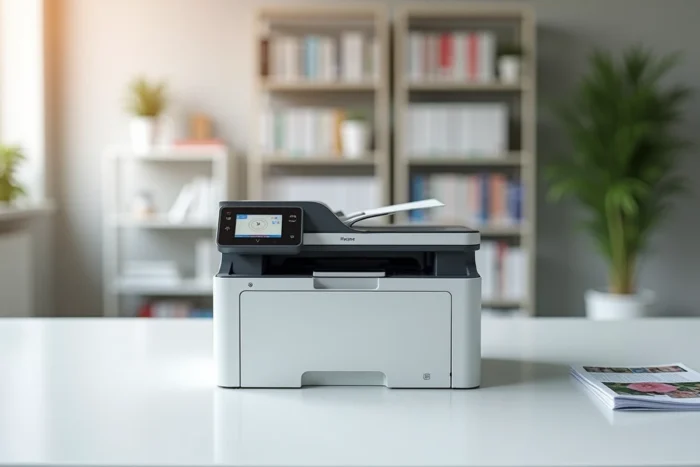
The Brother DCP-L3550CDW is a 3-in-1 color laser multifunction printer that combines printing, scanning, and copying in a format designed for small offices and freelancers. This model uses color LED technology (often likened to laser) with a claimed resolution of up to 2400 x 600 DPI, and offers Wi-Fi, Ethernet, and USB 2.0 connectivity as well as automatic duplex printing.
Color LED technology and everyday print quality
The DCP-L3550CDW is based on LED technology, sometimes confused with traditional laser. The difference lies in the light source: a bar of diodes replaces the rotating laser beam. The result on paper remains comparable, but the LED mechanism allows for a more compact motor block with fewer moving parts.
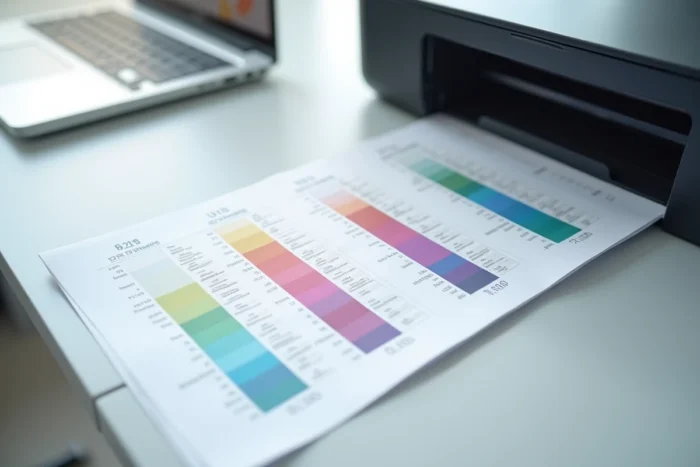
In practice, text documents come out sharp, with well-defined characters even in small sizes. Solid colors on graphics or presentations remain uniform, without visible banding. For photos, the limitations quickly become apparent: fine gradients lose subtlety compared to a dedicated inkjet. This is not the intended purpose of this machine.
The automatic duplexing works well on standard paper. On thicker weights, a slight misalignment between front and back may occur, a typical behavior in this price segment. Checking a review of the Brother DCP-L3550CDW allows for verifying these observations with more precise measurements.
Wi-Fi connectivity and network integration of the DCP-L3550CDW
The machine offers three connection modes: Wi-Fi, wired Ethernet, and USB 2.0. The Wi-Fi operates at 2.4 GHz, which is sufficient for standard office use. The setup via the color touchscreen is straightforward, with no need to plug in a cable for the initial pairing.
Mobile printing is supported through AirPrint, Google Cloud Print, and the Brother iPrint&Scan app. These options cover most use cases from a smartphone or tablet. The Wi-Fi Direct protocol also allows connecting a device without going through a router, which is convenient in a coworking space or temporary office.
Ethernet remains relevant for a fixed workstation shared among multiple users on a local network. Network bandwidth is not the bottleneck: it is the printer’s internal processing speed that determines the actual throughput.
Total cost of ownership: toners and recycling
The purchase price of the printer represents only a fraction of the actual budget. Consumables (four separate toners: cyan, magenta, yellow, black) constitute the heaviest expense over time. Standard toners offer moderate yield, and Brother provides high-capacity versions that reduce the cost per page.
Some items to include in the calculation of total cost of ownership:
- Color toners, to be replaced independently according to the usage of each color, which avoids wasting a four-color cartridge
- The imaging drum, a wear part to be replaced after several thousand pages, often overlooked in estimates
- End-of-life recycling: since January 1, 2025, the export of WEEE outside the EU and OECD is prohibited, which increases the treatment cost through approved eco-organizations in France
Companies have a legal obligation to recycle their printers through approved eco-organizations, a line item that should be included in the equipment budget. This point is often missing from comparisons that focus solely on purchase price and cost per page.
Brother DCP-L3550CDW compared to recent color laser multifunctions
This model is several years old. Purchase guides published in 2025 and 2026 now position it as a previous-generation device compared to more compact and energy-efficient color LED multifunctions. Power consumption and operating noise are becoming more scrutinized selection criteria than before, especially in shared work environments.
The DCP-L3550CDW remains functional and reliable for regular use. Its touchscreen, complete network connectivity, and automatic duplexing meet the needs of a small office. However, if standby consumption or noise level during printing are priority criteria, models released since 2024 show measurable improvements in these two areas.
Who this printer remains relevant for
A freelancer or small organization that regularly prints color documents (quotes, reports, presentation materials) will find the DCP-L3550CDW to be a robust and versatile device. The flatbed scanner complements the setup well for scanning administrative documents.
For primarily monochrome use with occasional color needs, the ratio between the price of the four toners and the frequency of color usage should be evaluated. A monochrome model supplemented by an occasional color printing service may prove more economical over several years.
The Brother DCP-L3550CDW is no longer the default choice in recent comparisons, but it continues to fulfill its role with proven reliability. The real trade-off is less about its raw performance and more about the cumulative cost of consumables and the relevance of investing in a previous-generation model when recent alternatives are becoming more energy efficient.